
DEN Flight Replay at Denver
At Denver, a landing and the taxi back to the concourses can occupy very different parts of the map. Following both in replay makes the scale of the airfield easier to read.
Open DEN tracker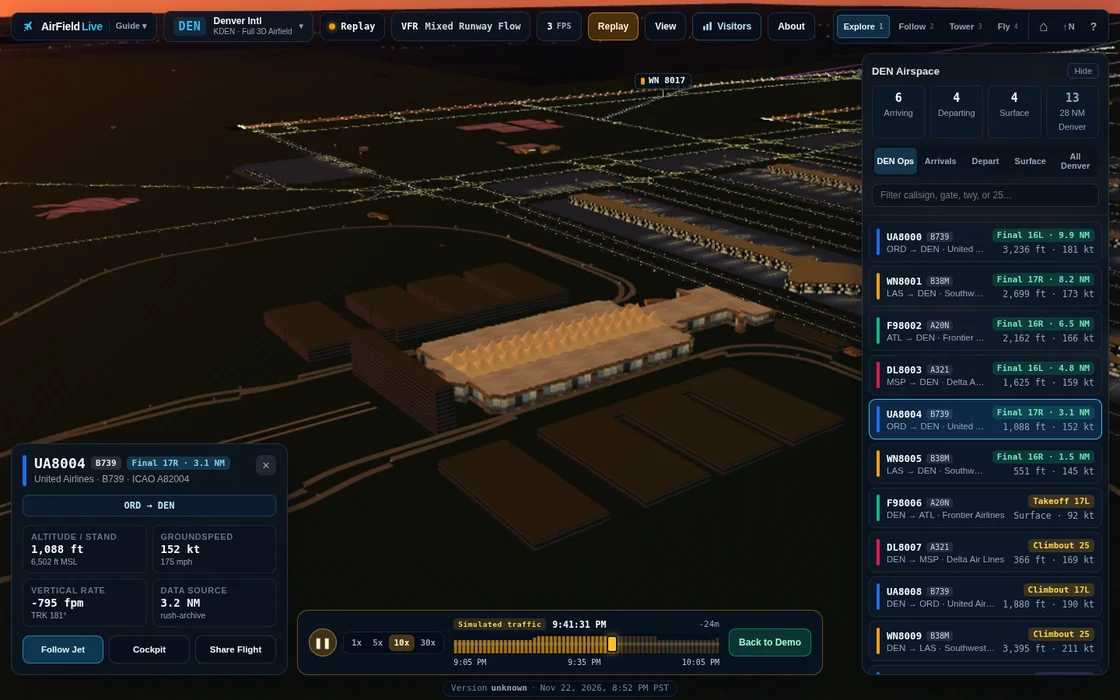
Find the time you watched
Open the DEN tracker and choose Replay or press T. Drag the timeline to the time of interest. The clock reads Mountain time, including the local daylight-saving adjustment. The activity bars summarize the traffic recorded in each interval.

Follow one movement
Start with the broad overview and find a recorded landing on the western or eastern side. Advance at 10× through the taxi, pause near the terminal complex, then move the scrubber back to the turn off the runway. Use 1× there to see when the runway label gives way to a surface label. A missing surface report can leave part of the route unseen. Consult the DEN runway diagram to match the runway ends.

Understand the recording window
Live replay holds up to one hour of DEN observations collected since the server started. Gaps indicate missing reports. Demo has its own simulated traffic and seeded history. Choose Go Live for the current live feed or Back to Demo for the current simulation. How replay coverage works.