
DFW runway guide
DFW has five north–south runways and two diagonals on either side of its terminals. Watch how traffic changes between north and south flow.
Open live DFW tracker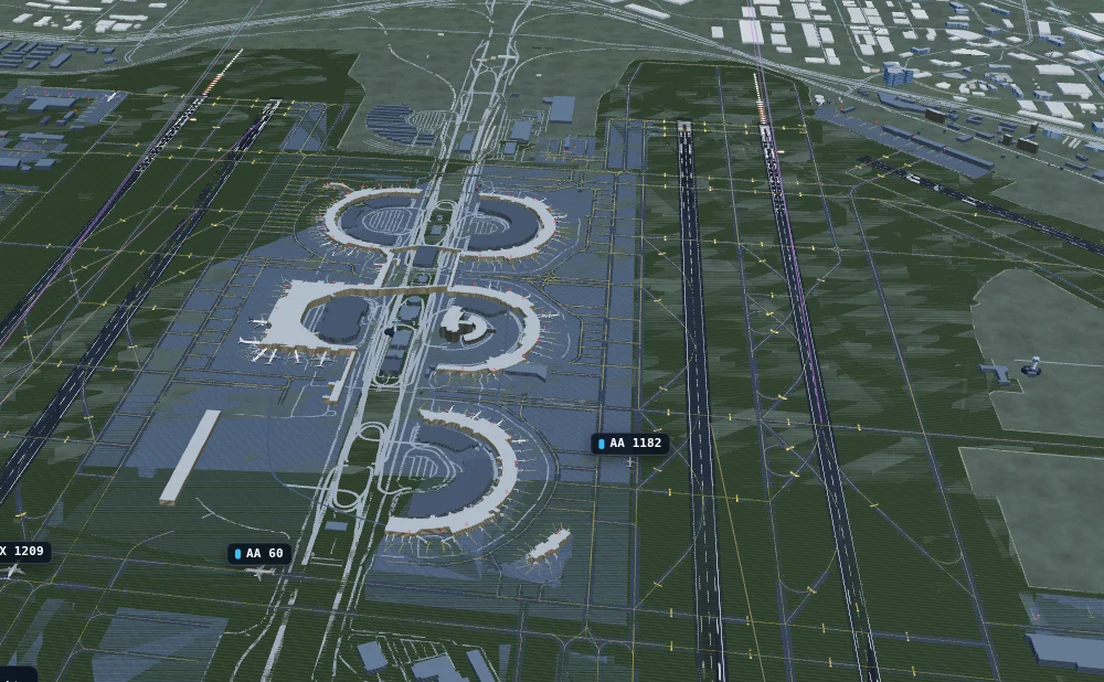
Current DFW runway flow and weather
Estimated flow · North Flow. Arrivals: 36L, 35C. Departures: 36L.
Based on DFW D-ATIS (Arr H / Dep I) as of .
Weather observation ·
METAR KDFW 260853Z 35009KT 10SM CLR 03/M03 A3031 RMK AO2 SLP265 T00281028 58001
What are the runways at DFW?
Four of DFW’s primary parallel runways exceed 13,400 feet in length, supporting ultra-long-haul widebody departures in warm Texas summers. Aircraft cross between the east and west airfields via taxiway bridges spanning International Parkway.
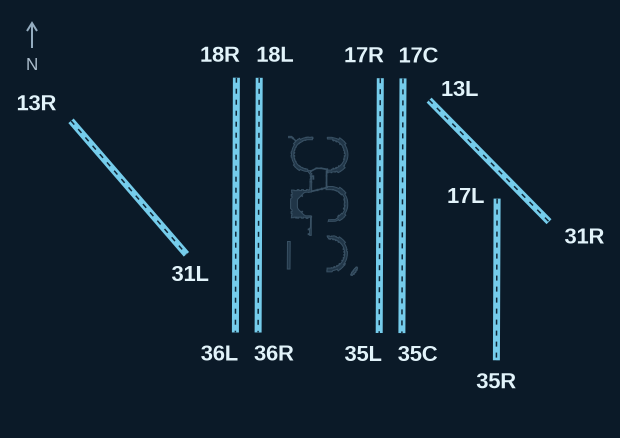
| Runway ends | Length | Width |
|---|---|---|
| 18L / 36R | 13,400 ft | 200 ft |
| 18R / 36L | 13,400 ft | 150 ft |
| 17R / 35L | 13,401 ft | 200 ft |
| 17C / 35C | 13,401 ft | 150 ft |
| 17L / 35R | 8,500 ft | 150 ft |
| 13R / 31L | 9,301 ft | 150 ft |
| 13L / 31R | 9,000 ft | 200 ft |
South Flow and North Flow
Prevailing southerly Gulf breezes put DFW in South Flow roughly 70% of the year. When cold fronts bring northerly winds, DFW reverses into North Flow. In both flows, inner 200-foot-wide runways handle departures while outer runways handle simultaneous arrivals.
South Flow
- Primary arrivals
- 18R / 17C / 17L (+ 13R)
- Primary departures
- 18L / 17R
North Flow
- Primary arrivals
- 36L / 35C / 35R (+ 31R)
- Primary departures
- 36R / 35L
Which DFW runways are active now?
Open the live DFW flight tracker and check the Flow indicator for South Flow or North Flow. On compact screens, find Flow under View. Click the DFW menu in the toolbar for per-runway headwind and crosswind components. See data methodology or DFW plane spotting.