
Read a JFK arrival in replay
A turn over Jamaica Bay can make an arriving flight look lined up with a different runway. In replay you can follow the turn, pause on final and check the runway actually reached.
Open JFK tracker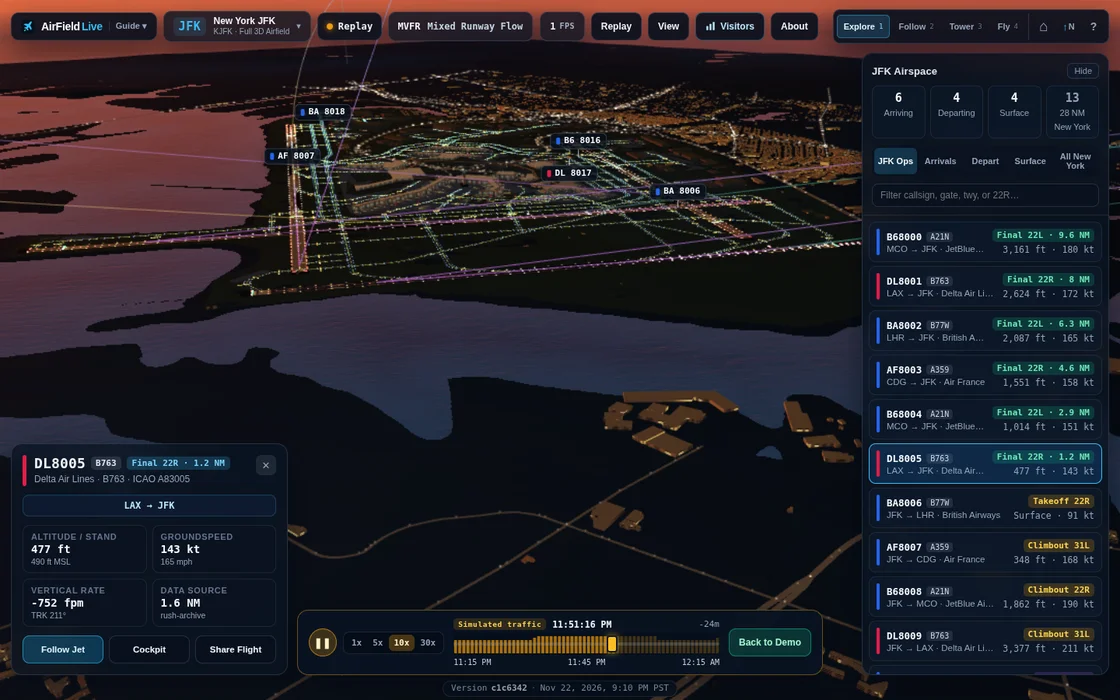
Find the time you watched
Open the JFK tracker and choose Replay or press T. Drag the timeline to the time of interest. The clock reads Eastern time, including the local daylight-saving adjustment. The activity bars summarize the traffic recorded in each interval.

Follow one movement
Find a recorded arrival near the bay and play through the turn at 5×. Pause once the aircraft flies straight and compare its line with the two runway axes. Drag back a little and choose 1× to watch touchdown. If the aircraft later loses coverage near the terminal, the recorded track can end before it reaches a stand. Consult the JFK runway diagram to match the runway ends.
Understand the recording window
Live replay holds up to one hour of JFK observations collected since the server started. Gaps indicate missing reports. Demo has its own simulated traffic and seeded history. Choose Go Live for the current live feed or Back to Demo for the current simulation. How replay coverage works.