
SEA flight replay
Replay the past hour at SEA. Follow parallel arrivals, widebody departures, and taxi movements beneath the IAF Aerial Walkway at up to 30× speed.
Open SEA 10× replay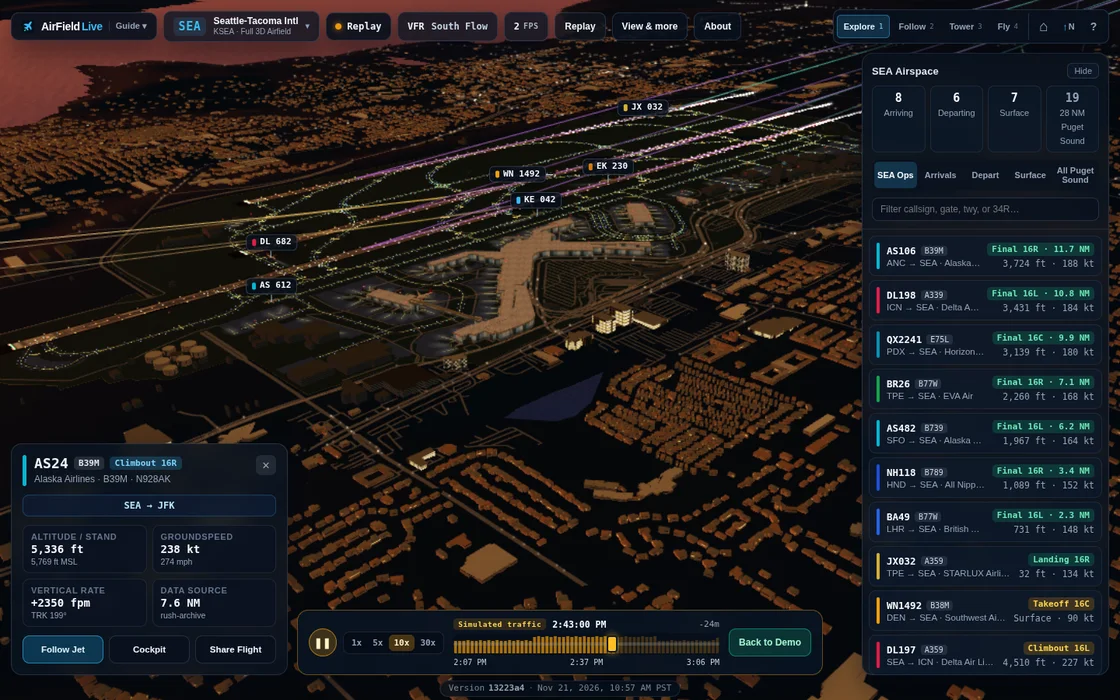
How to replay recent SEA traffic
- Open the SEA live flight tracker and select Replay (or press T). Playback starts at 10×.
- Drag the scrubber across the 60-minute timeline. The replay clock shows Seattle Pacific Time.
- Play at 1×, 5×, 10×, or 30×, or click Go Live to jump back to live ADS-B traffic.

How to find a flight or terminal gate
On compact screens, open Flights to see the flight board. Search it by callsign, concourse or satellite gate (such as N12 or S8), or runway (such as 16R or 34L). Switch to All Puget Sound to include Boeing Field, Renton, and regional overflights. See the SEA runway guide for runway assignments.
Recorded vs. simulated frames
Live replay shows up to an hour of aircraft observations. Its timeline starts when the server begins recording and marks interruptions in feed coverage. Open View and select Demo Sim to explore a separate replay labeled Simulated traffic. Read about replay data.