
ORD Flight Replay at Chicago
Two aircraft arriving at O’Hare can follow parallel approaches for several miles. Replay lets you see which strip each one reached without losing track of the other.
Open ORD tracker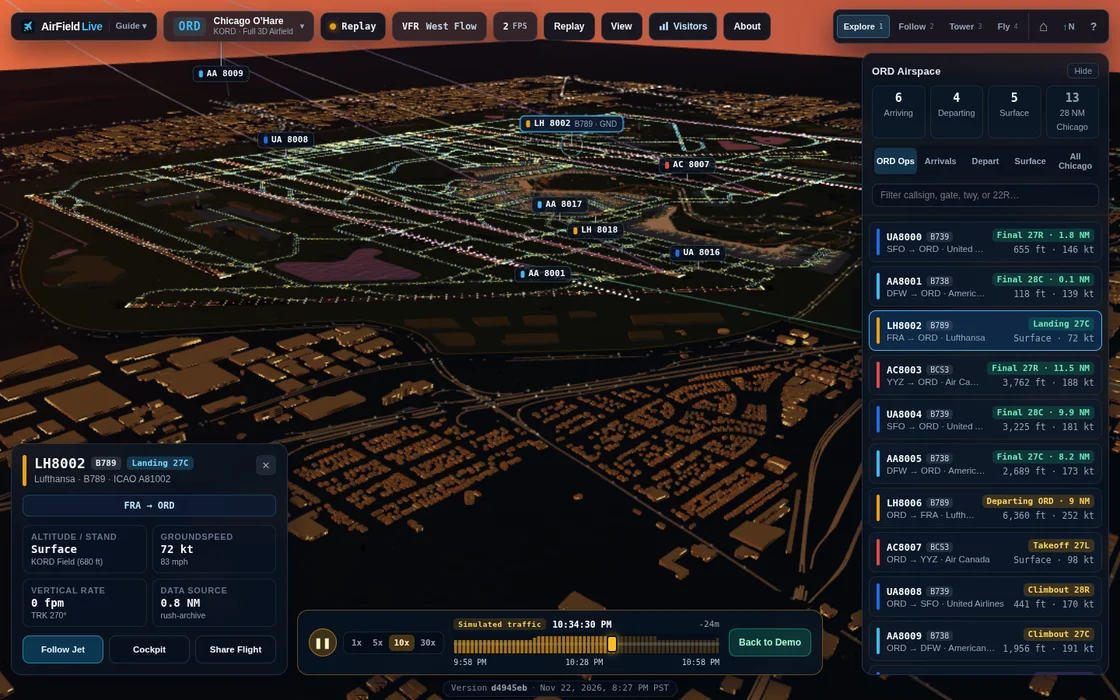
Find the time you watched
Open the ORD tracker and choose Replay or press T. Drag the timeline to the time of interest. The clock reads Central time, including the local daylight-saving adjustment. The activity bars summarize the traffic recorded in each interval.

Follow one movement
Find a period with arrivals from the same direction. In the overview, use 5× playback to watch the streams form, then pause as each aircraft nears a threshold. Read the runway labels in the flight board. A change from 27R to 28R between two flights puts them in different airfield complexes even though both landed heading west. Consult the ORD runway diagram to match the runway ends.
Understand the recording window
Live replay holds up to one hour of ORD observations collected since the server started. Gaps indicate missing reports. Demo has its own simulated traffic and seeded history. Choose Go Live for the current live feed or Back to Demo for the current simulation. How replay coverage works.