
SFO flight replay
Revisit the past hour at SFO. Scrub to an approach or speed up playback to watch a sequence of arrivals.
Open 10× replay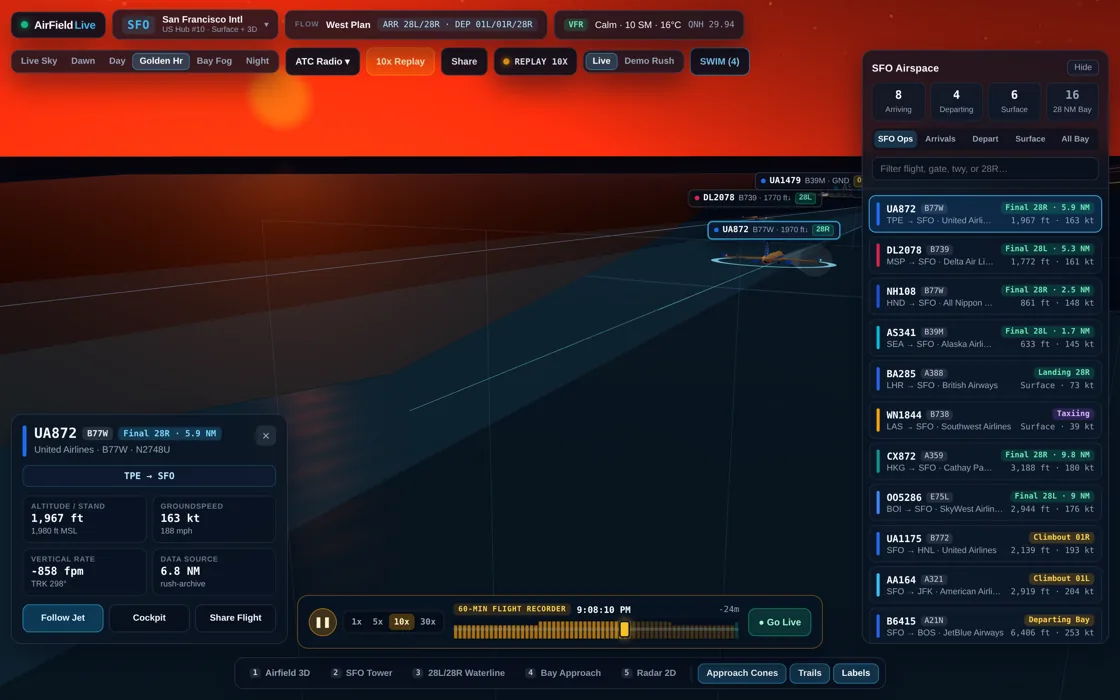
How to replay recent SFO traffic
- Open the SFO live flight tracker and select Replay. Playback starts at 10×. The keyboard shortcut is T.
- Drag the timeline slider to the time you want. The clock shows San Francisco local time. The left end of the timeline is the oldest available recording.
- Pause for a closer look or play at 1×, 5×, 10× or 30×. At 10× speed, ten minutes of traffic play back in one minute.
- Choose Go Live to return to the current traffic feed.

How to find a flight in the replay
Scrub to when the aircraft was near SFO. On compact screens, open Flights to see the flight board. Filter the list by callsign or flight number. Switch to All Bay to include tracks outside the SFO operations filter. Select a matching aircraft to inspect its track or use Follow Jet to move the camera with it.
You can also filter for a runway such as 28R to see aircraft the tracker associates with it at the selected time. The SFO runway guide explains how those labels relate to the physical runway pairs.
Which replay traffic was observed?
Live replay shows up to an hour of aircraft observations. Its timeline starts when the server begins recording and marks interruptions in feed coverage. Open View and select Demo Sim to explore a separate replay labeled Simulated traffic. Read about replay data.
Recorded traffic depends on receiver coverage and which aircraft were reporting. The rolling window expires older frames as new ones arrive. See the aircraft data sources for coverage and interpretation details.